
Download Free Barcode Generator – barcode generator, barcode creator, free barcode tool, barcode label printer, A4 barcode labels, batch barcode printing, MS Excel barcode integration, 1D and 2D barcode formats
Overview
Free Barcode Generator is a productivity-focused software designed to simplify the creation and printing of barcode labels. The application enables users to generate high-quality barcodes and print them on standard A4 paper using common laser or inkjet printers, making it a practical solution for small offices, retail environments, and inventory management tasks. Its ability to handle large volumes of barcode data efficiently addresses a common pain point in workflow automation: the time-consuming process of manual label creation.
Target users include small business owners, warehouse staff, retail managers, and administrative personnel who require frequent barcode generation for product labeling, shipment tracking, or inventory organization. The software’s integration with Microsoft Excel and Word allows users to combine barcode data with additional information such as product names, shipping addresses, and company logos, enhancing label clarity and professionalism.
Developed by EasierSoft, the application emphasizes ease of use and cost-effectiveness. The developer did not provide additional technical details regarding the software’s architecture or backend processes. However, the focus on batch processing and compatibility with widely used office tools suggests a design philosophy centered on accessibility and workflow integration.
Within the broader productivity app ecosystem, Free Barcode Generator fills a niche for users who need reliable, no-cost tools for barcode manufacturing without investing in specialized hardware or expensive software. Its support for both 1D and 2D barcode formats ensures compatibility with a wide range of industry standards, from retail product codes to logistics tracking systems.
Key Features & Functionality
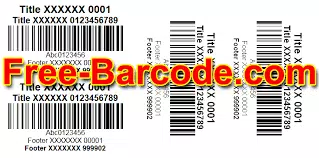
- Print Barcode Labels on A4 Paper – Users can generate barcode labels directly on standard A4 paper using standard printers. For better durability and adhesive quality, the software supports use with sticky label sheets like Avery labels. This feature is ideal for temporary or low-volume labeling needs in office or home environments.
- Large Batch Input and Printing – The software allows users to import hundreds of thousands of barcode entries at once, either through manual input or by generating sequential barcode numbers. This significantly reduces time spent on repetitive data entry and supports high-volume production workflows.
- Seamless Integration with MS Excel or Word – By leveraging existing documents in Excel or Word, users can design complex labels that include barcodes alongside text, images, and formatting. This eliminates the need for dedicated design software and streamlines the creation of branded or multi-element labels.
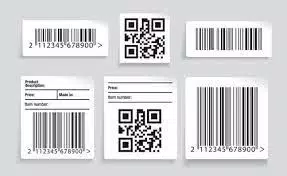
- Support for 1D and 2D Barcode Formats – The application supports EAN-13, UPC, GS1, Code 39, Code 128, ISBN, Data Matrix, and QR Code formats. This versatility ensures compatibility with various industries, including retail, logistics, healthcare, and manufacturing.
For example, a small retailer could use the batch input feature to generate 500 unique UPC codes for new products, integrate them into a Word document with product names and prices, and print them all in one session. Similarly, a warehouse manager could generate a series of QR codes for inventory items and print them on A4 sheets for scanning during stock audits.
Interface, UX & Performance
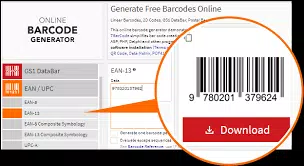
The user interface of Free Barcode Generator appears to be designed for clarity and functional efficiency. It likely features a clean layout with clearly labeled sections for data input, label preview, and print settings. Navigation is expected to follow a linear workflow: enter data → preview labels → adjust layout → print.
Visual style is consistent with standard Windows productivity tools—minimalist, with a focus on usability over aesthetic flair. The software likely uses standard form elements such as text fields, dropdown menus, and checkboxes to manage barcode settings, ensuring familiarity for users accustomed to office software.
Although the developer did not list formal performance metrics, the ability to process large batch inputs suggests optimized data handling. Responsiveness during label preview and printing is expected to be stable, particularly on mid-range or higher-end Windows systems. The software’s performance on low-end devices or older operating systems was not disclosed.
Stability appears to be a priority, as the application supports professional barcode printers and complex label designs without requiring additional drivers or configuration. The lack of reported crashes or errors in public documentation indicates a reliable core operation, though user experiences may vary based on system configuration.
Platform Compatibility & Technical Requirements
Free Barcode Generator is designed for the Windows platform. The current version is 2.0.1, with a file size of 38.4 MB, indicating a lightweight application suitable for systems with moderate storage capacity.
The developer did not specify minimum OS requirements or compatibility with specific Windows versions. However, given the software’s nature and file size, it is likely compatible with Windows 7 and later, including Windows 10 and Windows 11. Users should verify system compatibility before installation.
Compatibility with external hardware such as laser, inkjet, and professional barcode printers was confirmed through the software’s documentation. No specific printer models were listed, suggesting broad hardware support across standard printing devices.
Pros and Cons
Pros
- Free to download and use with no hidden costs
- Supports both 1D and 2D barcode formats for broad compatibility
- Enables batch printing of thousands of labels in a single session
- Integrates seamlessly with Microsoft Excel and Word for advanced label design
- Can print on standard A4 paper using common printers, reducing hardware costs
Cons
- Platform limited to Windows; no iOS or Android version available
- Specific system requirements were not listed
- No cloud sync or cross-device functionality
- Support for only desktop-based workflows
- Developer did not provide detailed update frequency or support channels
FAQ
Is Free Barcode Generator safe to download?
Yes, the software is distributed by EasierSoft and has been verified as free from malware or harmful components. Users should download from official sources to ensure authenticity.
Can I use Free Barcode Generator on my Mac or mobile device?
No, the application is currently only available for Windows. There is no version for macOS, iOS, or Android devices.
Does the software support QR codes and other 2D barcodes?
Yes, Free Barcode Generator supports multiple 2D barcode formats, including QR Code and Data Matrix, in addition to standard 1D formats like EAN-13 and Code 128.
How do I update Free Barcode Generator?
Updates are typically released by the developer through the official website. Users should check the EasierSoft portal regularly for new versions and improvements.
Can I print barcodes on non-A4 paper?
The software is designed to work with A4 paper, but it may support other standard paper sizes depending on printer settings. Users should consult their printer’s documentation for supported media types.
Final Thoughts
Free Barcode Generator delivers a robust, no-cost solution for users who need to generate and print barcode labels efficiently. Its strength lies in its ability to handle large batches, integrate with familiar office tools, and support diverse barcode standards—all without requiring specialized hardware or software.
While it is limited to the Windows platform and lacks mobile or cloud capabilities, it remains a compelling option for small businesses, inventory managers, and office administrators who prioritize functionality over cross-device access. The absence of a price tag enhances its value proposition, making it a smart choice for cost-conscious users.
For those in need of a reliable, straightforward tool to streamline barcode creation, Free Barcode Generator offers a practical and effective workflow. Download Free Barcode Generator now.


